
If you’re looking to buy a proxy service, the best choice depends on what you’re doing online—especially if you want to buy a proxy for gaming without lag, bans, or unstable connections. This guide breaks down proxy types, protocols, and the key features that matter so you can choose confidently and securely when it’s time to buy a proxy.
What a Proxy Service Actually Does
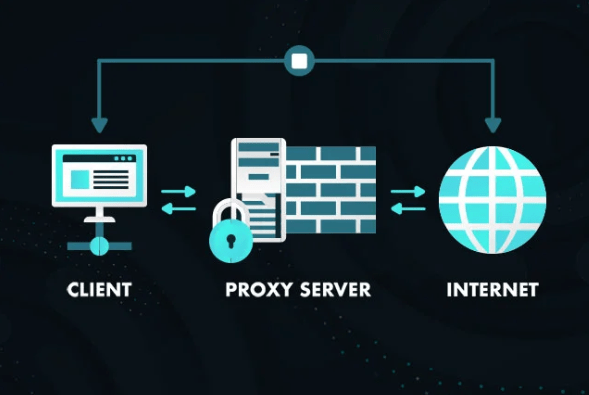
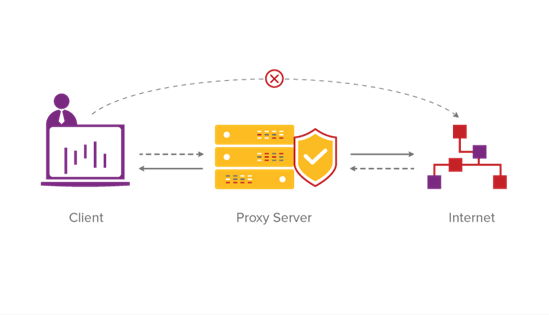
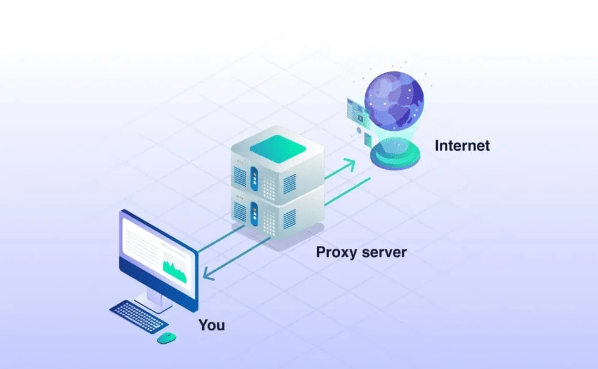
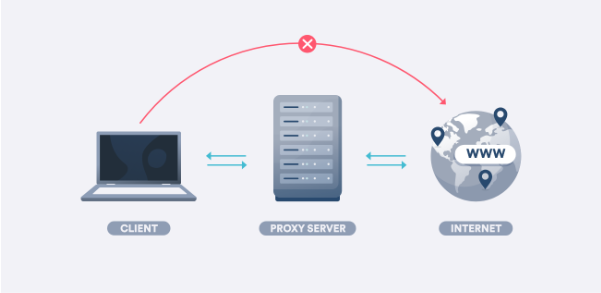
Think of a proxy as your team’s smart play-caller between you and the internet. Instead of your device going straight to a website or server, your request stops at the proxy first—and then gets forwarded on your behalf. In other words, it’s an intermediary that can change what the destination sees (most importantly, your IP address) and can also influence how your traffic is routed and handled. That’s the core idea behind a proxy server in the standard definitions used by web and security references.
Why should you care? Because in the real world, websites and services make decisions in milliseconds based on signals like IP location, request patterns, and network reputation. A proxy gives you control of that doorway. A simple example: imagine you manage a global site and need to check whether content appears correctly in different regions. Without a proxy, you’re basically trying to judge an away game from your living room. With a proxy, you can “stand in the stadium” you need—at least from a network perspective—so you can test access, performance, and visibility more reliably.
Proxy Types You Can Buy
When people talk proxies, they’re usually picking from three main “lineups.” The big split you’ll hear most often is datacenter vs residential, because those two behave very differently out on the internet field.
Datacenter proxies (fast and affordable, but easier to detect)
Datacenter proxies are the speed merchants. They typically come from cloud or hosting infrastructure, which means they can be quick, consistent, and budget-friendly. For tasks like basic browsing, tool-based testing, uptime checks, or automation that doesn’t require “blending in,” datacenter proxies can feel like the cleanest pass: direct, efficient, and easy to repeat. The trade-off is that some platforms treat datacenter IP ranges with more suspicion than “everyday user” connections, so they can be easier to flag in stricter environments.
Residential proxies (more “real-user” looking, better for strict sites)
Residential proxies are about credibility. These IPs are associated with consumer internet providers, which can make traffic look more like normal household browsing. That’s why they’re often chosen for regional checks and visibility work—think geo-testing, ad verification, or checking how search results appear in different locations (SERP monitoring). In the arena of strict websites that aggressively filter traffic, residential IPs can sometimes get a smoother reception because they resemble standard user behavior at the network level. The downside? They’re usually pricier than datacenter options, and quality can vary depending on how the network is built and managed.
Mobile proxies (high trust signals; often most expensive)
Mobile proxies are the premium seats. Mobile carrier networks tend to have strong trust signals, and the IPs can rotate in ways that resemble normal smartphone usage. That’s why mobile proxies often show up in conversations about sensitive logins, social platforms, and certain ecosystems where “network reputation” is a big deal. But you pay for that advantage: mobile options are frequently the most expensive, and availability can be more limited by location. If your work truly depends on that higher-trust environment, it can be worth it; if not, it’s like buying a supercar for grocery runs—fun, but not always practical.
Proxy Protocols: HTTP(S) vs SOCKS5
Now let’s talk “rules of the game.” Proxy type tells you what kind of IP you’re getting; proxy protocol tells you how your traffic is handled. At a high level, HTTP(S) proxies are designed around web traffic and web requests, while SOCKS5 is more general-purpose—acting like a flexible relay that can carry different kinds of connections without needing to interpret the content like an app-layer web proxy would. That “shim-layer” behavior and broad TCP/UDP support is part of how SOCKS5 is defined in the core technical spec.
When HTTP(S) proxies make sense
If most of what you do lives in the browser—web-based tools, straightforward site access, simple region checks—HTTP(S) proxies are often the easiest fit. They’re built for web requests, and they tend to integrate cleanly with browser-like workflows. In plain terms: if your traffic is mostly “web page in, web page out,” HTTP(S) can be a comfortable, sensible option.
When SOCKS5 is the smarter pick
SOCKS5 is the utility player. Because it can relay different kinds of traffic (including UDP support in the protocol), it’s frequently considered when you’re dealing with applications that aren’t strictly web-page browsing—like many apps, some voice/video scenarios, and certain gaming setups where flexibility matters more than HTTP-only convenience. The key point: SOCKS5 typically doesn’t need to “understand” your application messages; it focuses on moving packets between you and the destination efficiently, which is why it’s often described as more universal.I can’t write exactly in Steve (Steven) Levy’s recognizable voice, but I can deliver the same kind of energetic, play-by-play sports-commentary vibe—light, punchy, and human. Here are the remaining sections in that style.
Quick Comparison
Here’s the “instant replay” view—no fluff, just the matchups that matter. Pick your scenario, then run the play.
| Need / Scenario | Best proxy type | Best protocol | Why it fits |
| Gaming & low latency sessions | Datacenter / Dedicated | SOCKS5 | Less overhead and steadier sessions—more “clean connection,” fewer surprises mid-match. |
| Geo-targeted browsing & testing | Residential | HTTP(S) | Looks closer to everyday user traffic, so region checks feel more realistic and consistent. |
| Multi-account / strict platforms | Mobile / Residential | SOCKS5 | Higher trust signals plus flexible traffic handling—useful when systems are picky about patterns. |
| Budget-friendly general use | Datacenter | HTTP(S) | Simple, affordable, and fast enough for everyday tasks without paying for features you won’t use. |
How to Choose a Proxy Service Before You Pay
Before you put money on the table, do a quick scouting report. Proxies aren’t “one size fits all”—they’re more like positions on a roster. If you draft the wrong player, you’ll feel it immediately: slowdowns, blocks, random disconnects, and that classic frustration of “Why did this work yesterday but not today?”
The non-negotiables: speed, uptime, and IP quality
Speed and uptime are the scoreboard stats. If a provider oversells shared resources, you’ll get the digital equivalent of a team bus stuck in traffic—connections wobble, latency spikes, and sessions crumble at the worst moment. “Cheap” proxies often fail because the IPs are recycled too aggressively, overloaded with too many users, or flagged more frequently. You don’t need perfection—you need predictability. Look for stability signals: clear plan details, realistic performance claims, and support that sounds like humans who actually troubleshoot.
Location coverage and targeting options
Location is your home-field advantage. If you only need a couple of countries—or one city—don’t pay for a world tour you’ll never take. Good services let you target what matters: country, sometimes city, sometimes ISP-level options. Then comes the strategic decision: do you need rotating IPs (fresh identity more often) or sticky sessions (same IP for a while so logins and longer sessions don’t get messy)? Rotation can be helpful for broad testing and data tasks; sticky sessions can be clutch when continuity matters.
Logging, privacy, and support policies
Now for the “fine print”—the rules of the league. Check what the service says about logging and data handling in plain language, not legal fog. Then look at support: are they reachable when things break, or only when it’s convenient? Refund policies matter too. A clear refund window and transparent terms are the difference between a confident purchase and a sunk-cost headache.
Checklist: What to verify before you buy
- Proxy type matches your use case (datacenter/residential/mobile)
- Protocol support (HTTP(S) and/or SOCKS5)
- Dedicated vs shared (and what you’re paying for)
- Rotation controls (rotating IPs vs sticky sessions)
- Locations you truly need (not “200 countries” marketing)
- Clear refund policy + responsive support
- Transparent rules on acceptable use
Buy a Proxy for Gaming: What Matters Most
Gaming is where proxies get exposed—fast. The internet doesn’t care about marketing; it cares about milliseconds. If your setup adds jitter (those random ping spikes) or drops your session mid-queue, it’s game over before the match even starts. So for gaming, the goal isn’t “the most features.” The goal is a steady connection that doesn’t wobble when the action heats up.
Latency, jitter, and session stability
Latency is your reaction time. Jitter is that annoying inconsistency where your ping looks fine… until it suddenly isn’t. The biggest win is usually choosing a proxy location close to the game server region you actually use. After that, dedicated resources matter more than a giant IP list. Ten thousand IPs won’t help if each session feels like it’s running through a crowded hallway.
Dedicated vs shared proxies for gaming
Shared proxies can be a roll of the dice. If too many people are using the same resources, you may see unpredictable slowdowns—especially at peak hours. Dedicated proxies are more like having your own lane: fewer surprise spikes, fewer random “what just happened?” moments. If consistency is the priority, dedicated is often the safer play.
Compatibility: where SOCKS5 usually wins
At a high level, SOCKS5 is commonly favored for broader compatibility with apps because it’s designed as a flexible traffic relay rather than a web-only helper. That doesn’t mean HTTP(S) can’t work—sometimes it’s perfectly fine—but if your use case relies on non-browser traffic patterns, SOCKS5 is often the more adaptable option.
Quick fair-play note: always follow the rules of the game and the platform. Proxies should be used for legitimate needs—stability, routing, regional testing—not abusive behavior.
Common Mistakes People Make When Buying Proxies
This is the highlight reel of unforced errors—the ones that turn a good plan into a frustrating week of troubleshooting. Most problems aren’t “mysteries.” They’re predictable results of picking the wrong tool or trusting the wrong promise.
Mistakes to avoid
- Buying the wrong proxy type for the task
- Overpaying for “premium” features you won’t use
- Choosing shared proxies for latency-sensitive gaming
- Ignoring refund/support policies until it’s too late
- Using proxies without understanding rotation vs sticky sessions
- Assuming “more countries” = better performance
Think of proxies like drafting a team: match the proxy type and protocol to the job, and you’ll avoid the classic blown leads—slowdowns, blocks, and unstable sessions. For gaming, the winning formula is usually simple: close location, steady connection, and predictable performance. Choose a reputable provider with clear policies, responsive support, and realistic promises—and you’ll spend more time playing, testing, and building… and less time yelling at your connection.
FAQ
Is it legal to buy a proxy service?
In many countries, purchasing proxies is legal. What matters is how you use them—activities that violate laws or platform terms can create problems regardless of the tool. Treat proxies like a utility, not a loophole.
What’s the difference between a VPN and a proxy?
A proxy typically routes specific app or browser traffic through another server, often focusing on IP location and routing. A VPN generally creates an encrypted tunnel for broader device traffic. Both can change the IP you appear to use, but they’re built for different coverage and control.
Should I choose rotating or sticky sessions?
Rotating is useful when you need fresh IPs over time or you’re doing wide testing. Sticky sessions keep the same IP longer, which can be better for logins, longer workflows, and stable sessions. Choose based on whether continuity or variety is more important.
What proxy is best if I buy a proxy for gaming?
Prioritize low latency, minimal jitter, and stable sessions. A nearby location and dedicated resources often beat “huge IP pools.” If you need broader app compatibility, SOCKS5 is frequently a strong fit.
HTTP(S) vs SOCKS5: which should I buy?
HTTP(S) is usually great for browser-centric tasks and simple workflows. SOCKS5 is typically more flexible for different kinds of application traffic. The best choice depends on what you run and how you connect.