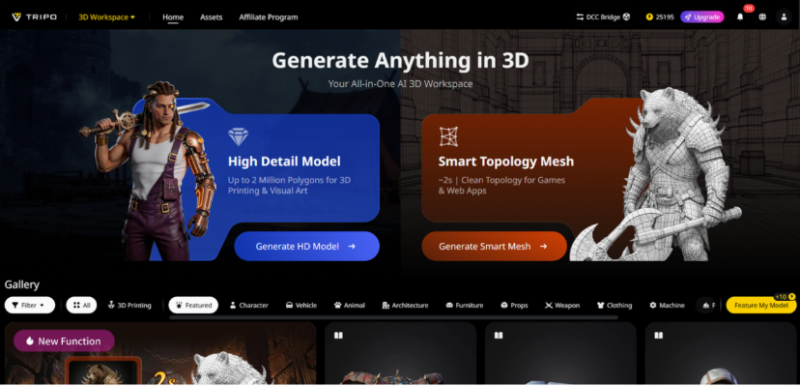
We’ve all been there: you have a brilliant idea for a 3D project—maybe a custom avatar for your social media, a 3D prop for your YouTube channel, or a unique gift for a friend—but you hit a wall. 3D design sounds intimidating, manual modeling takes forever, and most tools require years of experience to master. But what if you could turn any photo or text prompt into a professional 3D model in seconds? That’s exactly what Tripo Studio does, and it’s changing the game for everyday creators, hobbyists, and small teams.
Tripo Studio’s AI Tools: No Experience Required, Professional Results Guaranteed
Text to 3D Model: Turn Your Ideas into 3D with Just a Few Words: Forget complicated modeling software—with Tripo Studio’s Text to 3D Model tool, you just type what you want, and the AI does the rest. Whether you’re craving a 3D model of your favorite coffee mug, a fantasy creature, or a custom phone case, the tool interprets your prompt and generates a detailed, customizable model. It solves the problem of translating creative ideas into 3D without technical skills, letting you focus on what matters: bringing your vision to life. The models are clean, detailed, and ready to edit or export in seconds.
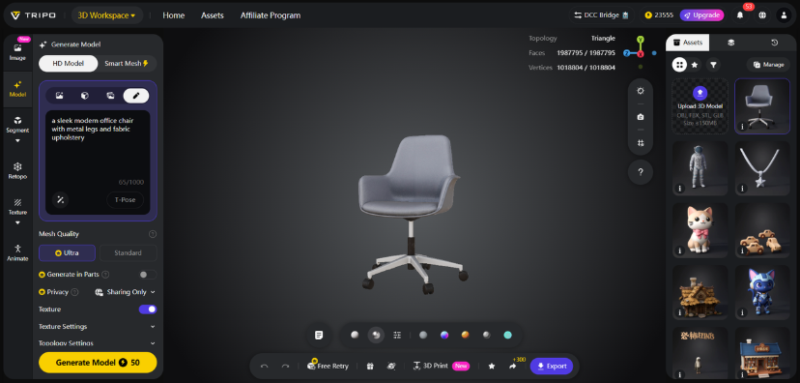
Image to 3D Model: Turn Photos into 3D Keepsakes Effortlessly: Want to turn a selfie, a photo of your pet, or a sketch into a 3D model? Image to 3D Model makes it possible with a single upload. This tool is perfect for creators who want to digitize real-world objects or personal items, eliminating the need for manual tracing or measuring. It preserves the unique details of your image—from facial features to texture—and delivers a model that’s true to your original photo. Whether you’re creating a 3D avatar or a keepsake, this tool is a game-changer.
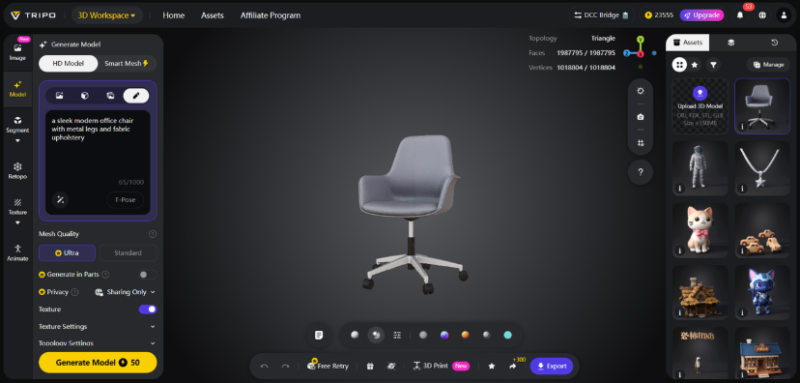
AI Model Segmentation: Edit Parts of Your 3D Model Without Starting Over: Editing 3D models can be frustrating, especially when you only want to adjust one part. Tripo Studio’s Segmentation/Split 3D Model tool lets you split any model into individual components with a click, so you can edit, move, or delete parts without disrupting the entire design. For example, if you create a 3D model of a picnic scene, you can segment the blanket, food, and plates separately to adjust colors or positions. It saves time and makes editing simple, even for beginners.
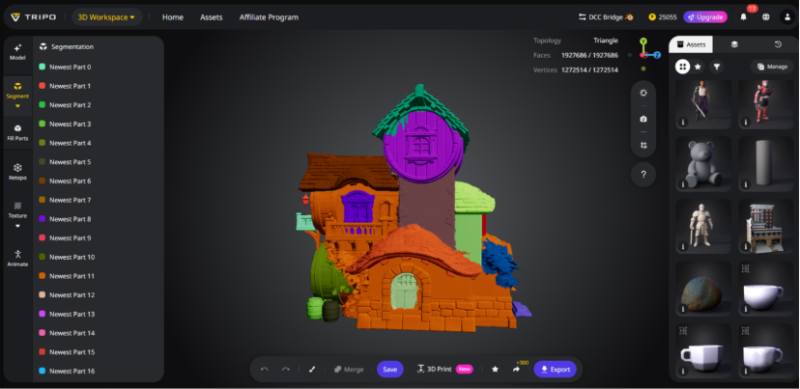
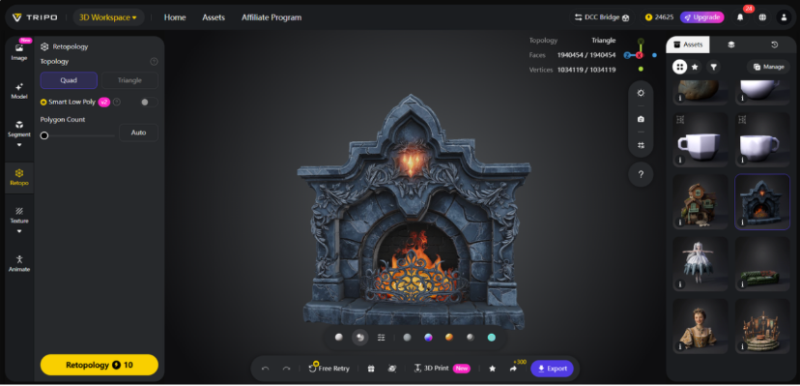
AI Retopology: Get Polished Models Without Tedious Manual Work: Retopology is the process of smoothing out 3D models to make them look polished, but it’s one of the most tedious parts of 3D design. Tripo Studio’s AI Retopology tool handles this automatically, optimizing polygon count and smoothing rough edges so your model looks professional. It eliminates the need for manual retopology, which can take hours, and delivers consistent results every time. This is a lifesaver for creators who want to skip the technical busywork and get to the fun part.
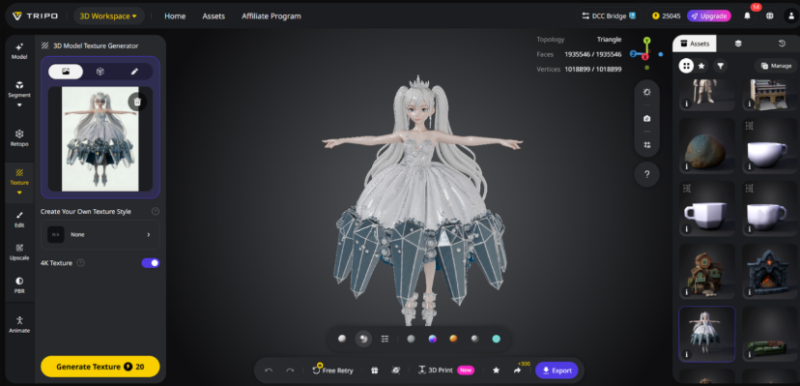
AI Texturing: Make Your 3D Models Look Lifelike in One Click: Adding texture to 3D models used to require advanced design skills, but Tripo Studio’s AI Texturing tool makes it easy. The tool offers a wide range of pre-made textures—from soft fabric to shiny metal to rough stone—or lets you generate custom textures based on your prompts. It solves the problem of mismatched or unrealistic textures, ensuring your model looks polished and lifelike. Whether you’re texturing a 3D prop for your YouTube channel or a custom gift, the AI delivers perfect results.
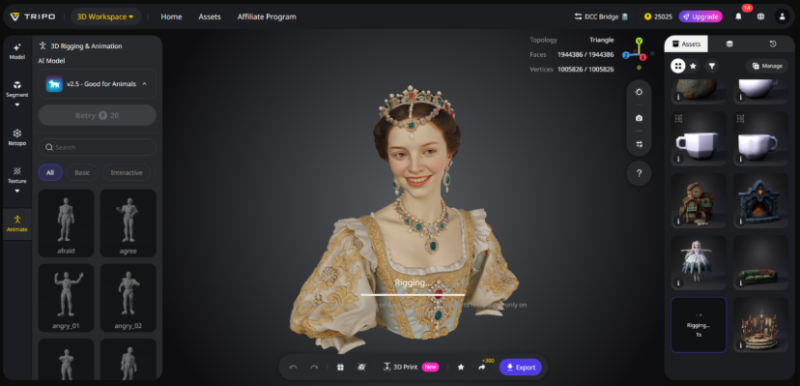
AI Rigging: Animate Your 3D Models Without Being an Expert: Animating 3D models used to be reserved for professionals, but Tripo Studio’s AI Rigging tool makes it accessible to everyone. The tool automatically adds rigs to your models, letting you animate movements—from a waving hand to a spinning object—with simple controls. It solves the barrier to entry for animation, making it easy to bring your 3D models to life without learning complex rigging techniques. The rigs are flexible and adjustable, so you can create natural, smooth animations.
Everyday Uses for Tripo Studio Creators
Tripo Studio is perfect for everyday creators: social media blogger can use it to create custom 3D avatars or props for their posts and videos. Hobbyists can use it to design 3D prints for home decor, gifts, or collectibles. Small creative teams can use it to speed up projects, from marketing materials to short animations. Even parents can use it to create 3D models of their kids’ drawings, turning art into a tangible keepsake. It’s a versatile tool that adapts to any creative vision.
What Makes Tripo Studio Different from Other 3D Tools?
Unlike other 3D tools that are expensive, complicated, or require years of training, Tripo Studio is designed for beginners. It’s an all-in-one platform—no need to jump between multiple software programs to model, texture, and rig. The AI is fast, generating models in seconds instead of hours, and the quality is on par with professional tools. Best of all, it’s affordable, with a free trial so you can try it before you buy.
Step-by-Step: Create a 3D Avatar from Your Selfie in 5 Minutes
1. Open Tripo Studio and upload a clear selfie (front-facing works best).
2. Select “Image to 3D Model” and click “Generate” to create your 3D avatar.
3. Use the Segmentation/Split 3D Model tool to adjust details like hair, eyes, or clothing.
4. Apply AI Texturing to add realistic skin, hair, and clothing textures.
5. Export the avatar as a PNG or GLB file, and use it for social media, gaming, or videos.
Tripo Studio is changing the way we create 3D content—no experience required, just creativity. Whether you’re a social media creator, hobbyist, or small team, this tool makes 3D creation easy, fast, and fun. Sign up for a free trial today and turn your ideas into 3D reality.