Many people open their Instagram chat and suddenly notice something strange. A message that was there before is now gone. It can feel confusing. Sometimes it even causes panic because the message may contain something important, such as a photo, address, or conversation with a friend.
The first thought most users have is simple: are those messages lost forever?
The good news is that this is not always the case. Messages can disappear for several reasons and in many situations they can still be recovered. 3 realistic ways that iPhone users can try to recover them safely.
3 Common Reasons Instagram Messages Disappear
Before trying recovery methods, it helps to understand why the messages vanished in the first place. In many cases the message was not truly deleted.
1. Vanish Mode
Instagram has a feature called Vanish Mode. When it is active, messages disappear after they are viewed and the chat window is closed.
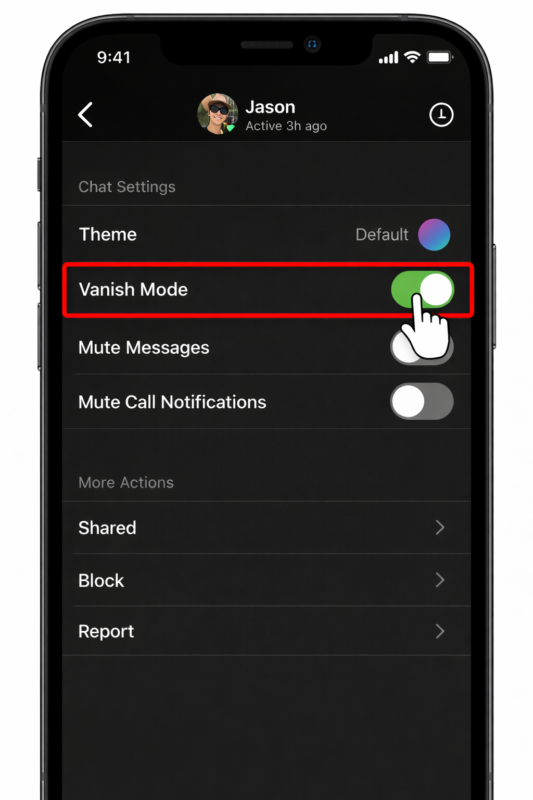
For example, if a friend sends a quick private message using Vanish Mode, it will not stay in the chat history. Once the conversation ends the message disappears automatically.
Many users turn this feature on by mistake without noticing.
2. Disappearing Photos or Videos
Instagram also allows media messages that disappear after viewing. These are often labeled View Once or Allow Replay.
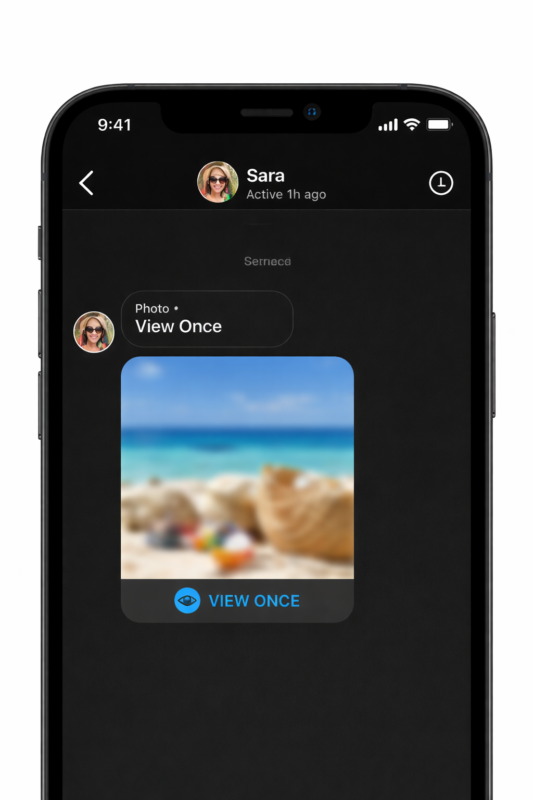
When someone sends a photo in this format it behaves differently from a normal message. After you open it, the image disappears from the chat. This is normal behavior and not a bug.
3. App Glitches or Unsent Messages
Sometimes the problem is technical.
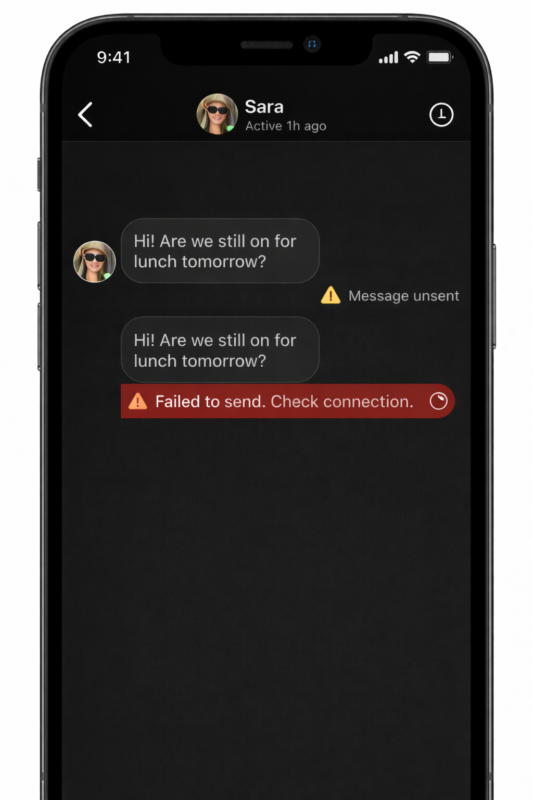
A weak internet connection, a temporary Instagram bug, or an app update can make messages appear missing. Another common reason is that the sender may unsend the message.
According to a study from the Pew Research Center about social media communication, more than 60 percent of users delete or unsend messages to correct mistakes or remove information they shared too quickly. This explains why chats sometimes change without warning.
Instagram Messaging Statistics
Understanding how often people use direct messages shows why losing them can be stressful.
| Instagram Messaging Fact | Statistic |
| Daily Instagram users | Over 2 billion |
| Users who send DMs regularly | Around 500 million |
| Messages shared daily | Billions |
| Users who delete or unsend messages | Over 60% |
Source: Meta Platforms user reports and research insights.
With this much communication happening every day, message loss and recovery are important for users experience.
3 Ways to Recover Messages
Method 1: Recover Instagram Messages Using the Gbyte Recovery Tool
When Instagram messages disappear and they are not available in the app or through the official data download feature, a deeper recovery method may help. One practical option is the Gbyte Recovery Tool, which is designed to scan your device and find deleted data fragments that remain in storage.
When a message is deleted on a phone, the data is not removed instantly. The system simply marks the space as available for new data. Until that space is overwritten, the original message fragments may still exist in the device memory. Recovery tools search for these hidden fragments and reconstruct the conversation.
Why This Method Works
Unlike normal apps, recovery tools read the phone’s storage directly. They analyze hidden data areas where deleted files may still exist. According to the official guide, the software performs a read-only scan, meaning it does not overwrite your current data while searching for deleted messages.
Some helpful features include:
- Deep scan of iPhone storage
- Preview deleted messages before restoring
- Recovery of attachments such as photos or videos
- No need to reset or erase the device
Another advantage is selective recovery. Instead of restoring the entire phone, you can choose only the specific conversations you want to save.
Steps to Recover Messages
The process is simple and usually takes only a few minutes.Step 1. Install the software
Download and install the Gbyte Recovery tool on your computer or open the supported mobile version (IOS).
Step 2. Scan Instagram data
Open the program and select Instagram from the list of supported data types. Start the scan so the software can search your device storage.
Step 3. Preview and restore messages
After scanning, the tool shows recoverable conversations. You can preview them and export the messages you want to restore.
Method 2: Request Instagram Data Export
Instagram offers an official tool that allows users to download a copy of their account data. This includes photos, comments, and sometimes messages.
The feature can be found in the privacy settings of the Instagram app.
Basic steps include:
- Open Instagram settings
- Go to Accounts Center
- Select your information and permissions
- Choose Download your information
- Request the data file
After the request is submitted, Instagram prepares a downloadable archive. The file usually arrives by email within several hours.
Inside the download package you may find message history saved as HTML or JSON files. These files can be opened in a browser or text viewer to check past conversations.
Important note
Messages sent in Vanish Mode or permanently deleted by both users usually will not appear in this export.
Still, this method is worth trying because it uses official Instagram tools and requires no extra software.
Method 3: Check Archive and Message Requests
Sometimes messages seem to disappear but are simply hidden.
Instagram filters certain conversations automatically. Messages from people you do not follow may go to Message Requests instead of the main inbox.
Other chats may also move to the archive depending on settings.
To check these sections:
- Open Instagram messages
- Tap Requests at the top of the screen
- Review hidden conversations
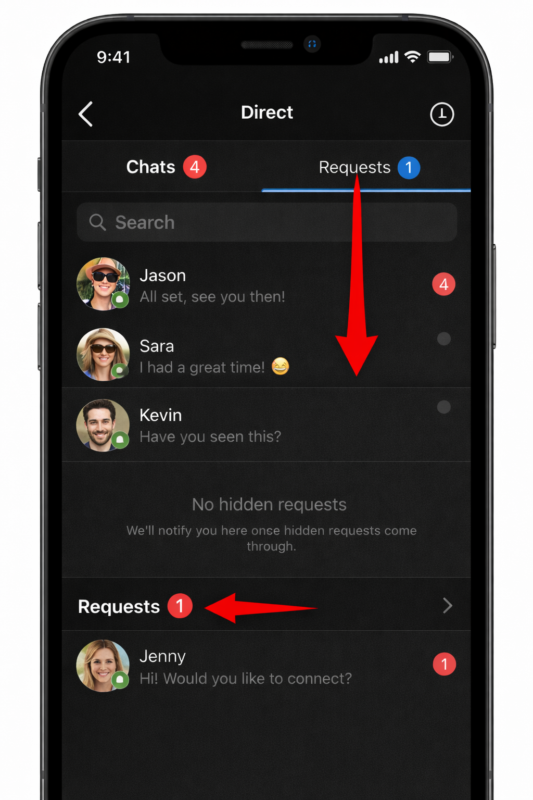
Many users discover that the “missing” message was actually waiting there.
This method will not recover deleted chats, but it can quickly reveal messages that were filtered or hidden by the app.
Tips to Prevent Future Message Loss
Once messages are recovered, it is smart to protect future conversations.
A few simple habits can help.
Turn off Vanish Mode if you do not use it regularly. This prevents messages from disappearing automatically.
Use the Keep in Chat option when someone sends an important photo or video. This tells Instagram to save the media in the conversation.
For important information such as addresses or receipts, take a screenshot or save the message immediately.
These small steps reduce the risk of losing something important again.
Conclusion
Disappeared Instagram messages are usually caused by features like Vanish Mode, disappearing media, or messages that were unsent. Sometimes the message is not deleted but simply hidden in Message Requests or other sections of the app. The best approach is to check the app first, then try the official Instagram data export. If the message is still missing, recovery tools like gbyte may help scan the device for deleted data.