Santa Clarita is home to a thriving community of creators, small businesses, and hobbyists—from local artists and photographers to boutique shop owners and student designers. But for many of us, creating 3D content has felt out of reach—too technical, too time-consuming, and too expensive. That’s where Tripo Studio comes in: a user-friendly, AI-powered 3D tool that’s making it easy for Santa Clarita locals to create high-quality 3D assets for work, play, and everything in between. Whether you’re a local business owner wanting to showcase your products or a hobbyist wanting to bring your ideas to life, Tripo Studio is designed for you.
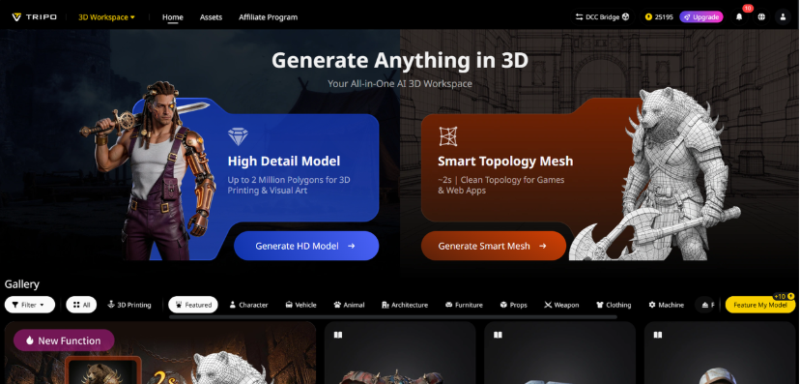
We get it—local businesses don’t have the time or budget to hire a professional 3D artist. Hobbyists don’t want to spend months learning complex software. And students need tools that are easy to use for school projects. Tripo Studio solves all these problems with AI that does the hard work, so you can focus on creating. It’s simple, affordable, and perfect for Santa Clarita’s creative community.
Tripo Studio’s Features: Perfect for Santa Clarita Locals
Text to 3D Model: Whether you’re a local artist wanting to create a 3D sculpture of a Santa Clarita landmark or a student needing a 3D model for a school project, Text to 3D Model makes it easy. Just type a description—like “a 3D model of the Santa Clarita Valley sign” or “a small wooden bench for a garden”—and the AI generates it in seconds. It’s perfect for brainstorming ideas or creating quick prototypes, saving you time and effort.
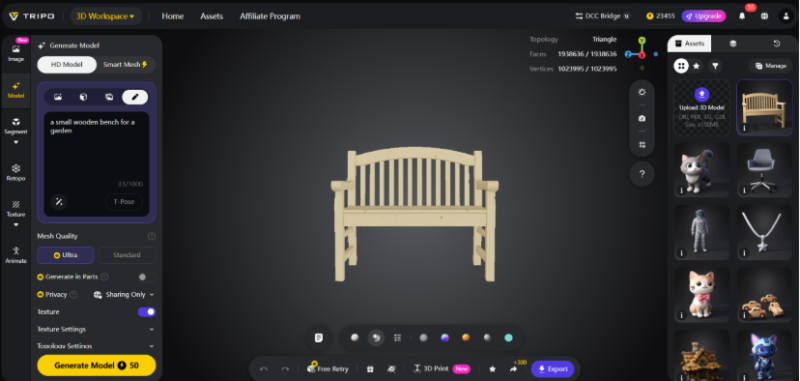
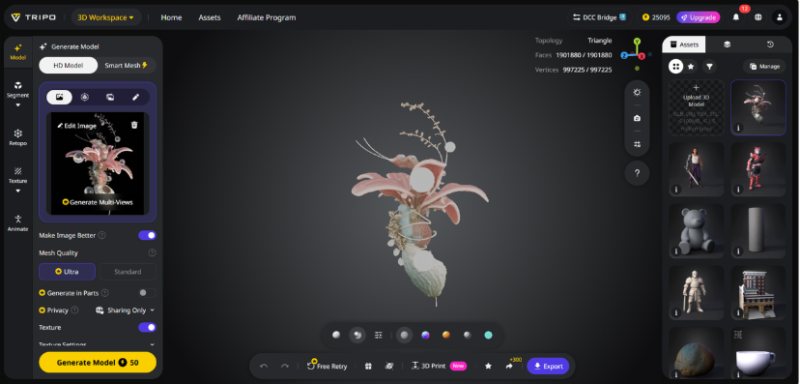
Image to 3D Model: Local photographers and businesses can turn their 2D photos into 3D assets with Image to 3D Model. For example, a local boutique can upload a photo of their latest clothing line and turn it into a 3D model to showcase on their website. A photographer can turn a portrait into a 3D sculpture as a unique gift. It’s a great way to make your content stand out in a crowded local market.
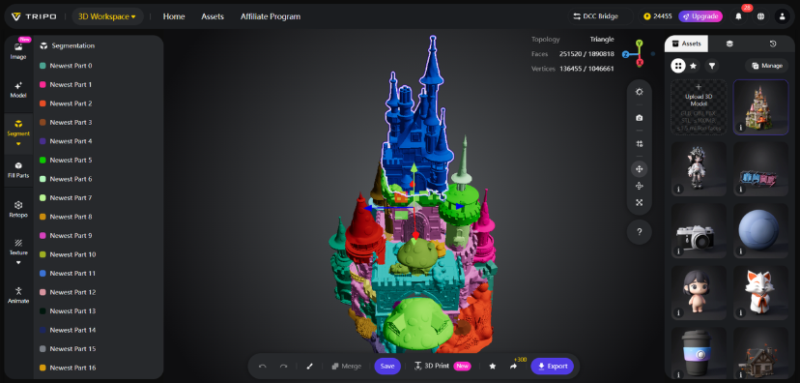
AI Model Segmentation: If you’re a local crafter or 3D printer, you might want to edit specific parts of a 3D model—like changing the color of a custom keychain or adjusting the size of a 3D-printed gift. Segmentation/Split 3D Model lets you split the model into individual parts, so you can customize it to your needs. It’s perfect for creating one-of-a-kind items for local markets or gifts for friends and family.
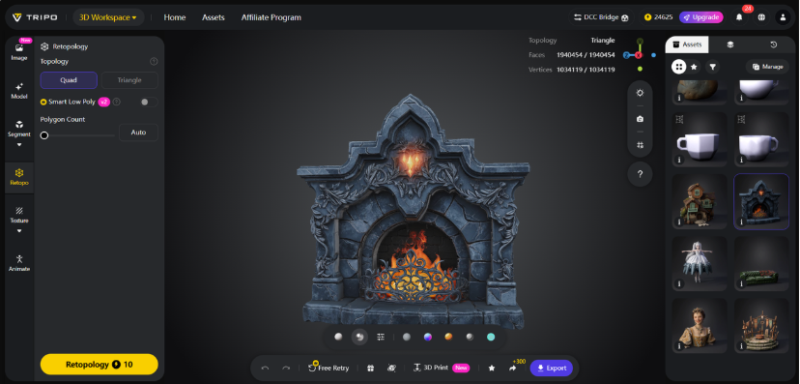
AI Retopology: For local artists who want to sell their 3D models or use them in animations, smooth, clean meshes are a must. Tripo Studio’s AI Retopology automates this process, so you don’t have to spend hours manually smoothing out edges. It’s ideal for artists who want to create professional-quality models to sell online or display at local art shows.
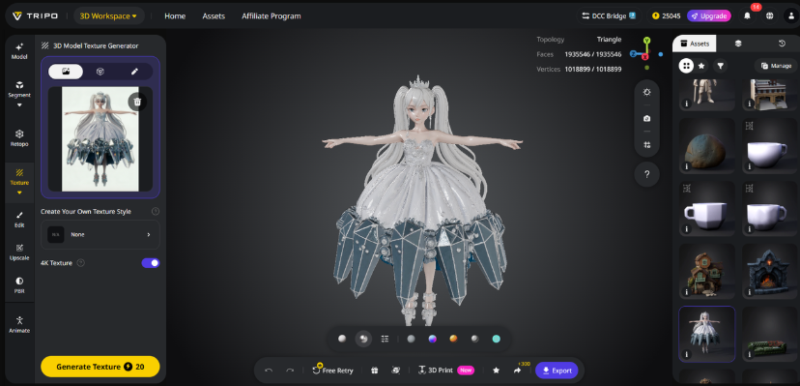
AI Texturing: Adding realistic textures to 3D models can make them look more professional—and AI Texture makes it easy. A local furniture store can add a “rustic wood” texture to a 3D model of a table to showcase its style. A student can add a “metallic” texture to a 3D model of a robot for a science project. It’s quick, easy, and makes your 3D assets look polished.
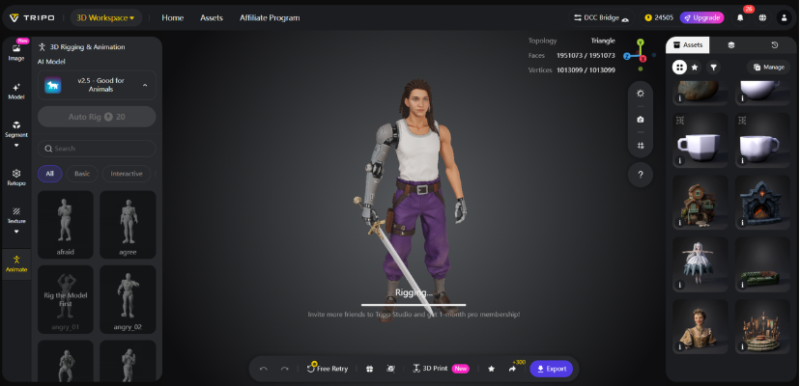
AI Rigging: Local content creators—like social media influencers or small video production teams—can use AI Rigging to animate their 3D models. For example, a local food blogger can create a 3D model of a taco and animate it to “dance” in their videos. It’s a fun way to make your content more engaging and stand out on social media.
How Santa Clarita Locals Are Using Tripo Studio
Tripo Studio is already making waves in the Santa Clarita community. Local boutiques are using it to create 3D product models for their websites, helping customers visualize items before they buy. Artists are using it to create 3D sculptures and art pieces for local galleries. Students are using it for school projects, from 3D art assignments to engineering models. Even local event planners are using it to create 3D layouts of event spaces, helping clients visualize their weddings, parties, or corporate events.
Why Tripo Studio Is a Must-Have for Santa Clarita Creators
Unlike other 3D tools, Tripo Studio is designed for everyday people—not just professionals. It’s affordable, with a free trial, so you can try it before you commit. It’s also easy to use—you don’t need any prior 3D experience. And because it’s an all-in-one tool, you don’t have to switch between multiple programs to model, texture, and rig your assets. For Santa Clarita locals who want to create high-quality 3D content without the hassle, Tripo Studio is the perfect solution.
Local Tutorial: Create a 3D Model of a Santa Clarita Landmark
- Open Tripo Studio and select “Text to 3D Model.” Type “3D model of the Santa Clarita Central Park fountain, realistic stone texture.”
- Click “Generate” and wait 10 seconds for the AI to create the model.
- Use AI Model Segmentation to separate the fountain’s base, bowl, and water feature—this lets you adjust each part individually.
- Apply AI Texturing to add a realistic stone texture, making the fountain look like the real thing.
- Export the model and share it on social media, use it in a school project, or even 3D print it as a souvenir. You just created a 3D piece of Santa Clarita!
Santa Clarita’s creative community is growing—and Tripo Studio is helping it thrive. Whether you’re a local business owner, artist, student, or hobbyist, Tripo Studio has the tools you need to create amazing 3D content. Sign up for your free trial today and join the local creators who are using AI to bring their ideas to life.